 BerryCade
 6. Policy & Objects (Política & Objetos)
6.1 Firewall policy (Política de Firewall)
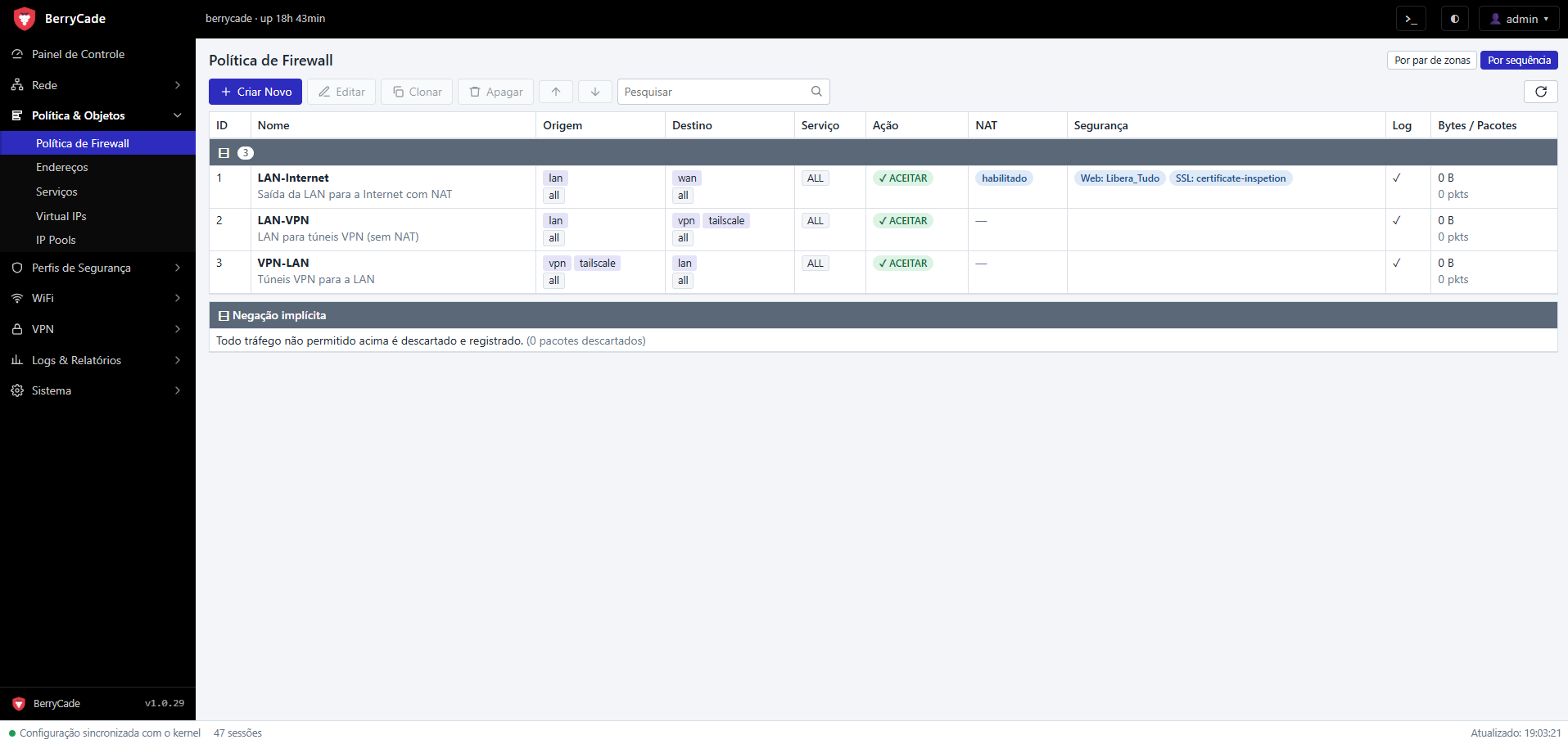
Figure 4 — Firewall policy, sequence view (Política & Objetos › Política de Firewall)
Each row is a policy with source, destination, service, action, NAT, security profiles, log, and byte and packet counters. The negação implícita (implicit deny) appears at the end, with the total of dropped packets.
- Por par de zonas / Por sequência (By zone pair / By sequence, top right corner): groups policies by zone pair or shows the list in evaluation order. The chosen view is saved for your user.
- Reordenar (Reorder): drag the row with the mouse — a colored bar shows where it will land — or use the ↑ ↓ arrows. In the zone pair view, a policy can only be moved within the same pair, where order matters.
- Clonar (Clone) creates a copy you can adjust; right-clicking offers enable/disable, move, edit and delete.
Creating a policy
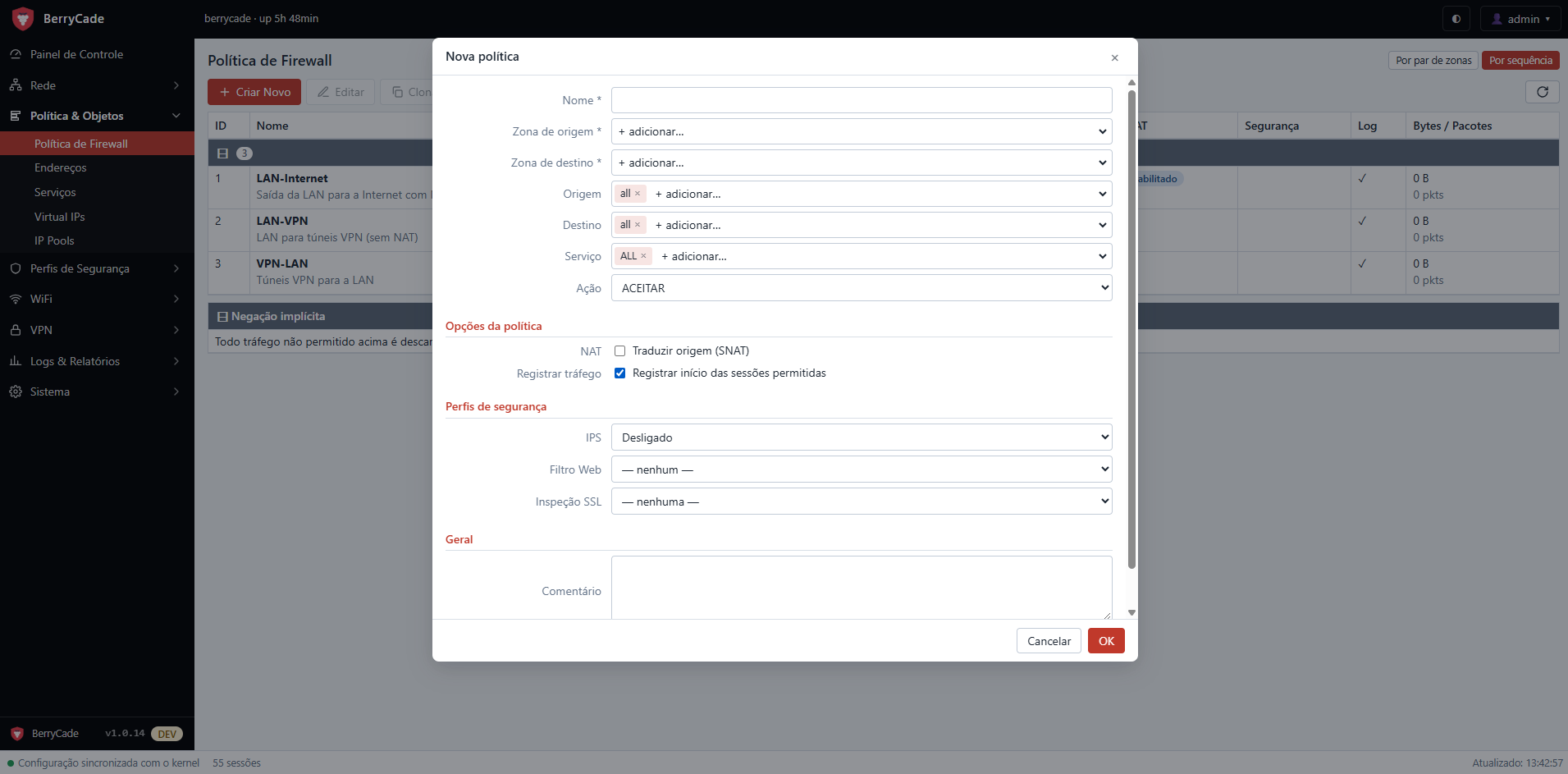
Figure 5 — Policy editor
| Field | Description |
|---|---|
| Nome (Name) | Rule identifier. |
| Zona de origem / destino (Source / destination zone) | Where the traffic comes from and where it goes. any stands for all zones. |
| Origem / Destino (Source / Destination) | Address objects; all means any address. |
| Serviço (Service) | Service objects; ALL means any port/protocol. |
| Ação (Action) | ACEITAR (Accept), NEGAR (Deny, drops silently) or REJEITAR (Reject, replies with a refusal). |
| NAT | Translates the source to the IP da interface de saída (outgoing interface IP) or to an IP pool. Required, for example, for the LAN to browse the internet. |
| Registrar tráfego (Log traffic) | Logs the start of allowed sessions in Logs › Tráfego (Traffic). |
| IPS | Suricata inspection for this policy. |
| Filtro Web / Inspeção SSL (Web Filter / SSL Inspection) | Web filter and SSL inspection profiles applied to this policy's traffic. |
| Comentário (Comment) | Free text shown below the name in the list. |
Tip: a typical outbound internet policy is: source lan → destination wan, service ALL, action ACEITAR, NAT habilitado (NAT enabled). For traffic going to VPN tunnels, create a separate policy without NAT above it.
6.2 Addresses and Services (Endereços e Serviços)
| Objeto (Object) | Tipos (Types) |
|---|---|
| Endereço (Address) | Sub-rede / IP (Subnet / IP, e.g. 192.168.10.0/24), Faixa de IPs (IP range, e.g. 10.0.0.1-10.0.0.50), FQDN (e.g. host.exemplo.com) and Grupo (Group). |
| Serviço (Service) | TCP/UDP (ports and ranges), ICMP, IP (protocol number) and Grupo (Group). The most common services come predefined. |
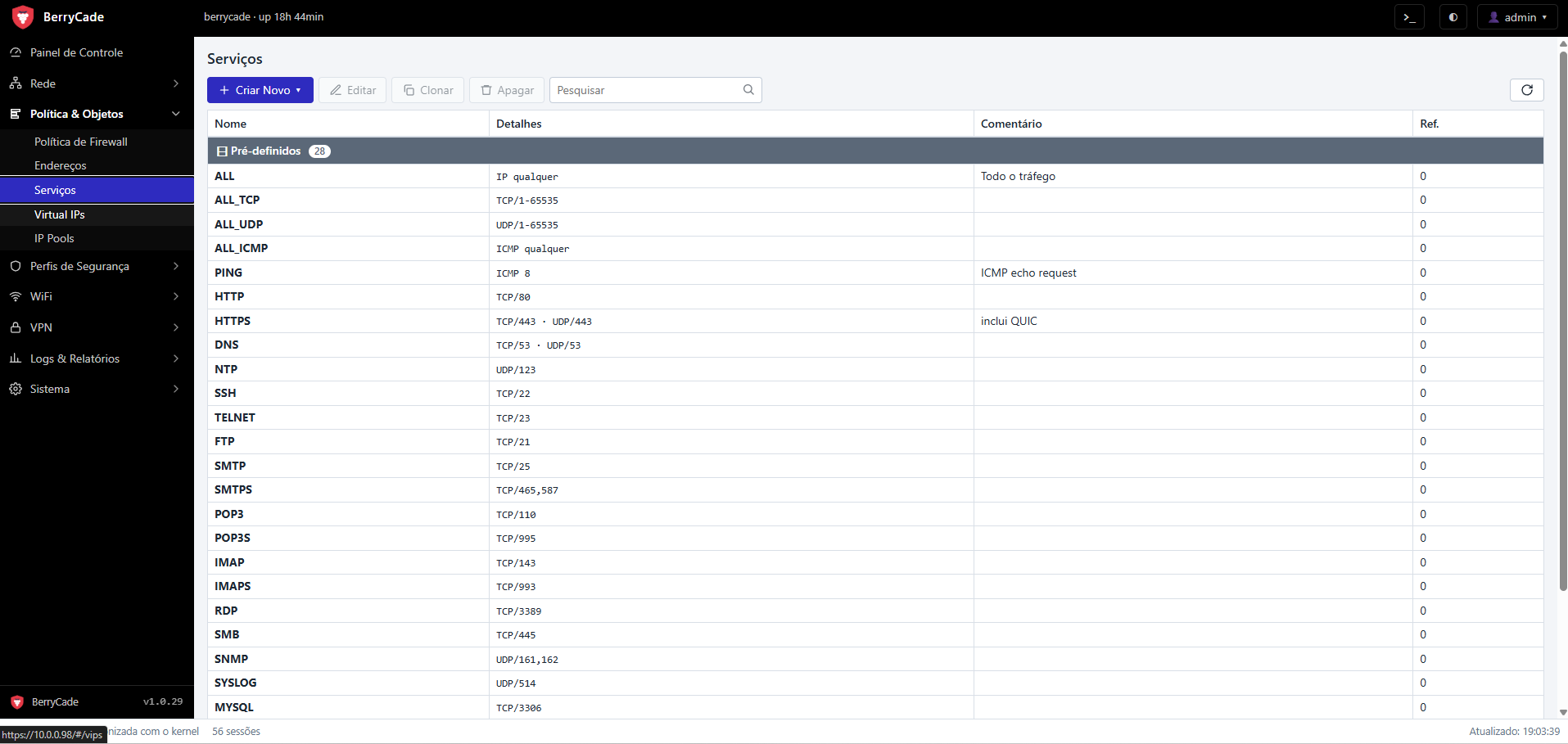
Figure 6 — Services (Política & Objetos › Serviços)
An object used by any policy cannot be deleted; the panel shows where it is referenced.
6.3 Virtual IPs (port forwarding)
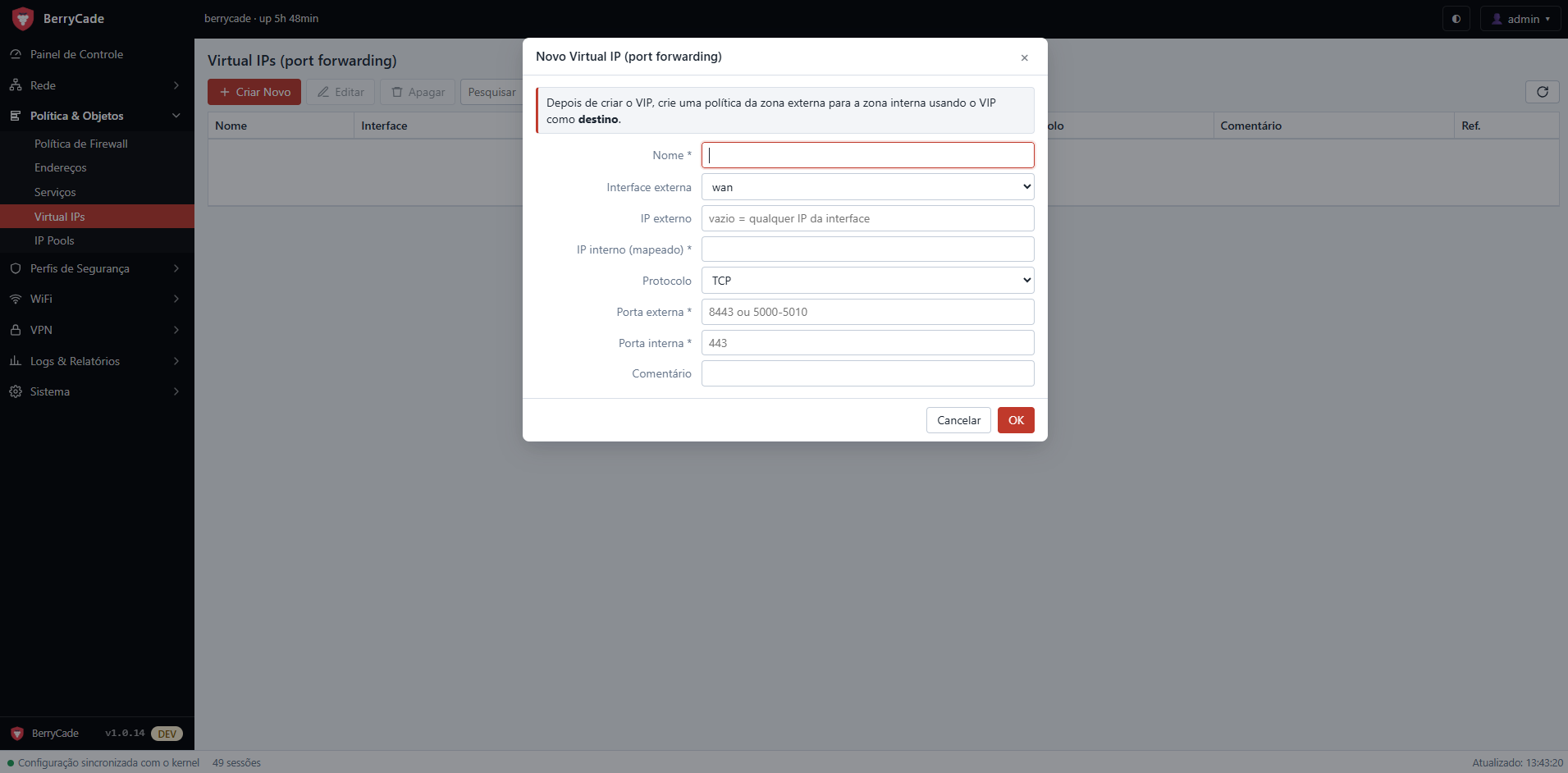
Figure 7 — New Virtual IP (port forwarding)
A Virtual IP publishes an internal service on the WAN. Example: reaching the camera 10.0.0.50:443 through port 8443 of the public IP.
- In Virtual IPs › Criar Novo (Create New), enter the name, the external interface (
wan), the internal (mapped) IP, the protocol, the external port (e.g.8443or a range5000-5010) and the internal port (443). - Create a policy from the external zone to the internal zone (e.g.
wan→lan) using the Virtual IP as the destino (destination).
6.4 IP Pools and central NAT
IP Pools are ranges of public IPs (for example, a fixed block leased from your ISP) that can be used for NAT in policies.
NAT central (Central NAT) is optional and off by default. When you turn it on in Sistema › Configurações › NAT (System › Settings › NAT), Política & Objetos › NAT central (Policy & Objects › Central NAT) appears: a single NAT table per zone/VLAN, evaluated in order, translating to the interface IP, to an IP pool, or Sem NAT (No NAT, for exceptions). In this mode the NAT option disappears from policies.