 BerryCade
 8. WiFi (UniFi access points)
BerryCade monitors UniFi access points over SSH and shows the APs, radios and connected clients without opening the controller. Access is read-only: AP configuration and roaming stay as they are.
Warning: in this version UniFi APs are monitored only. You cannot yet create or change Wi-Fi networks (SSIDs), passwords, VLANs, channels or power from BerryCade, or manage the AP without the controller: that configuration is still done in the UniFi controller (UniFi Network). BerryCade accesses the AP only over SSH, for reading.
8.1 Access Points
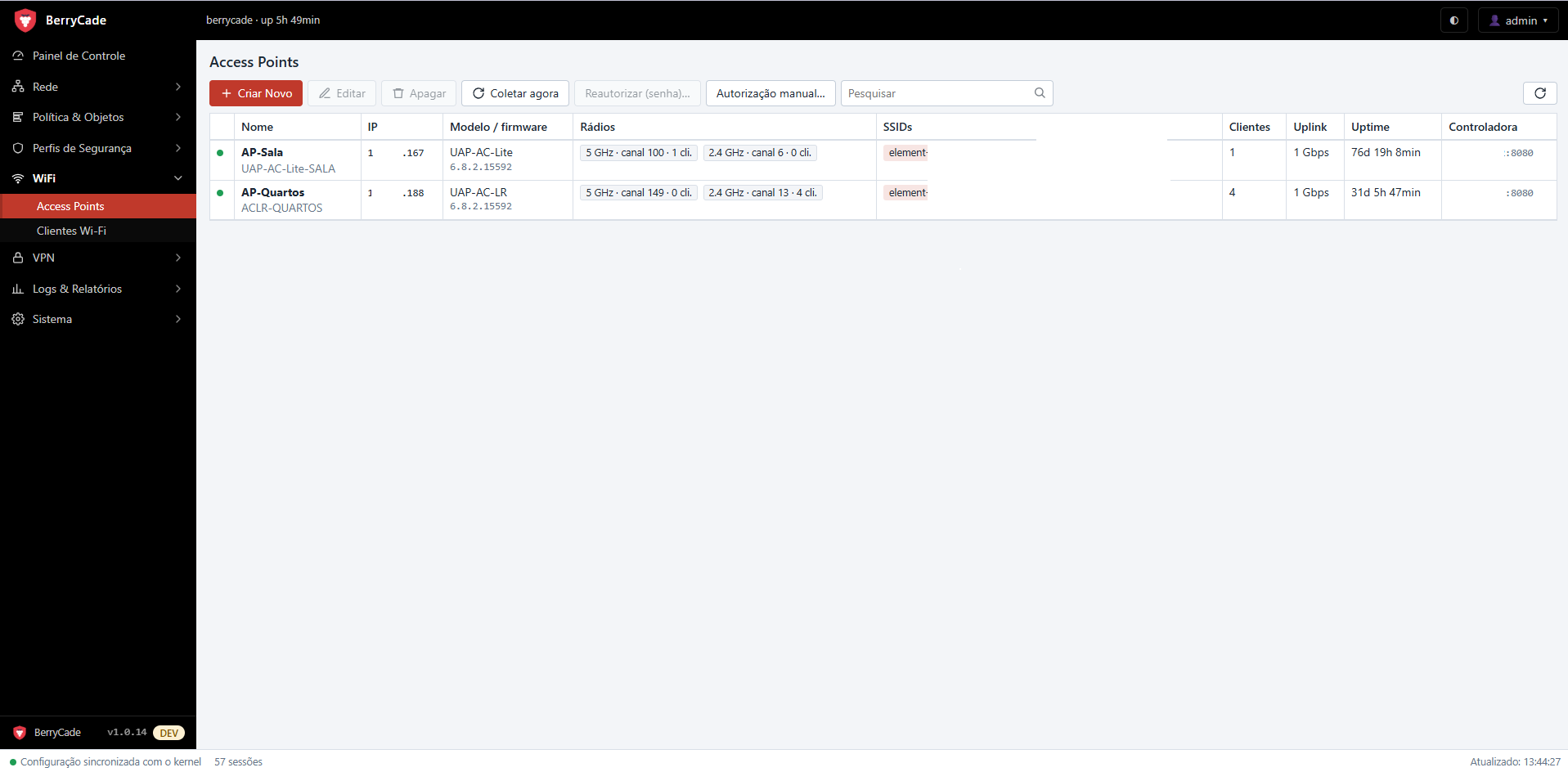
Figure 10 — Access Points (WiFi › Access Points)
- Click Criar Novo (Create New) and enter the name, the AP IP, and the AP SSH user and password.
- The firewall uses the password only once to install its own SSH key on the AP. The password is not stored.
- Collection then runs automatically; Coletar agora (Collect now) forces an immediate read.
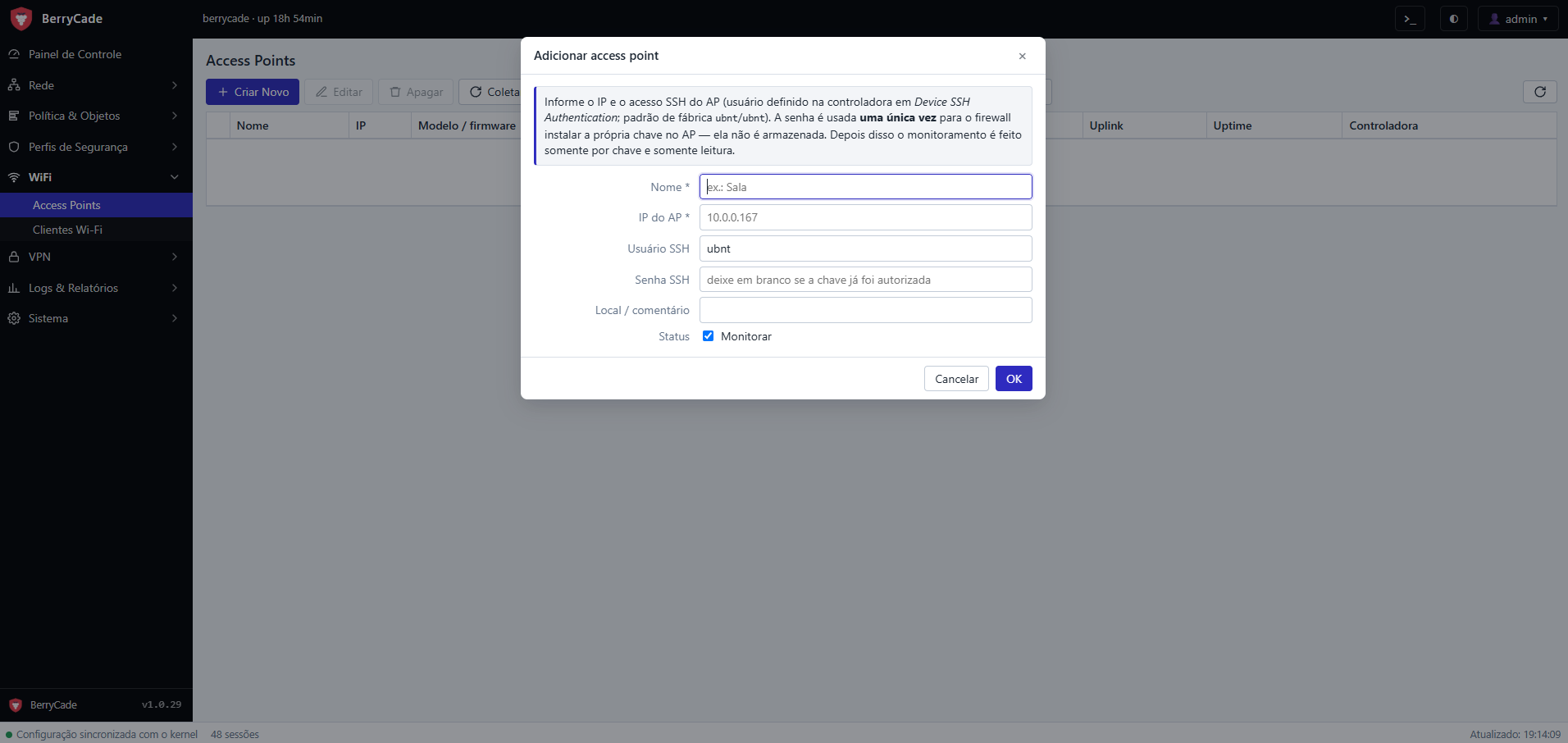
Figure 11 — Add access point
The list shows model and firmware, radios (band, channel and clients on each), SSIDs, number of clients, uplink, uptime and the configured controller. Reautorizar (senha)… (Reauthorize with password) redoes the key installation (for example, after an AP reset) and Autorização manual… (Manual authorization) shows the command to install the key from the AP terminal.
Where to find the SSH username and password
The adopted UniFi AP uses the SSH username and password set in the controller, not the factory defaults. To look them up:
- Open the UniFi controller (UniFi Network: in the browser, on the Cloud Key, on a UniFi OS console such as the UDM, or at unifi.ui.com).
- Go to Settings › System › Advanced. In older controller versions, the path is Settings › Site, with Enable advanced features turned on.
- Under Device SSH Authentication (in older versions, Device Authentication), check that SSH is enabled and note the Username and Password. If the password is hidden, click the eye icon; if nobody knows the password, set a new one and save: the controller sends the new password to all adopted APs.
- In BerryCade, under WiFi › Access Points › Criar Novo (WiFi › Access Points › Create New), enter this username and password.
An AP that was never adopted, or that was reset to factory defaults, uses ubnt / ubnt. An adopted AP keeps the controller's credentials even if the controller is turned off.
Tip: to test the credentials first, run ssh usuário@IP-do-AP from a computer on the network: if you can log in, the same credentials work in BerryCade.
8.2 Wi-Fi clients (Clientes Wi-Fi)
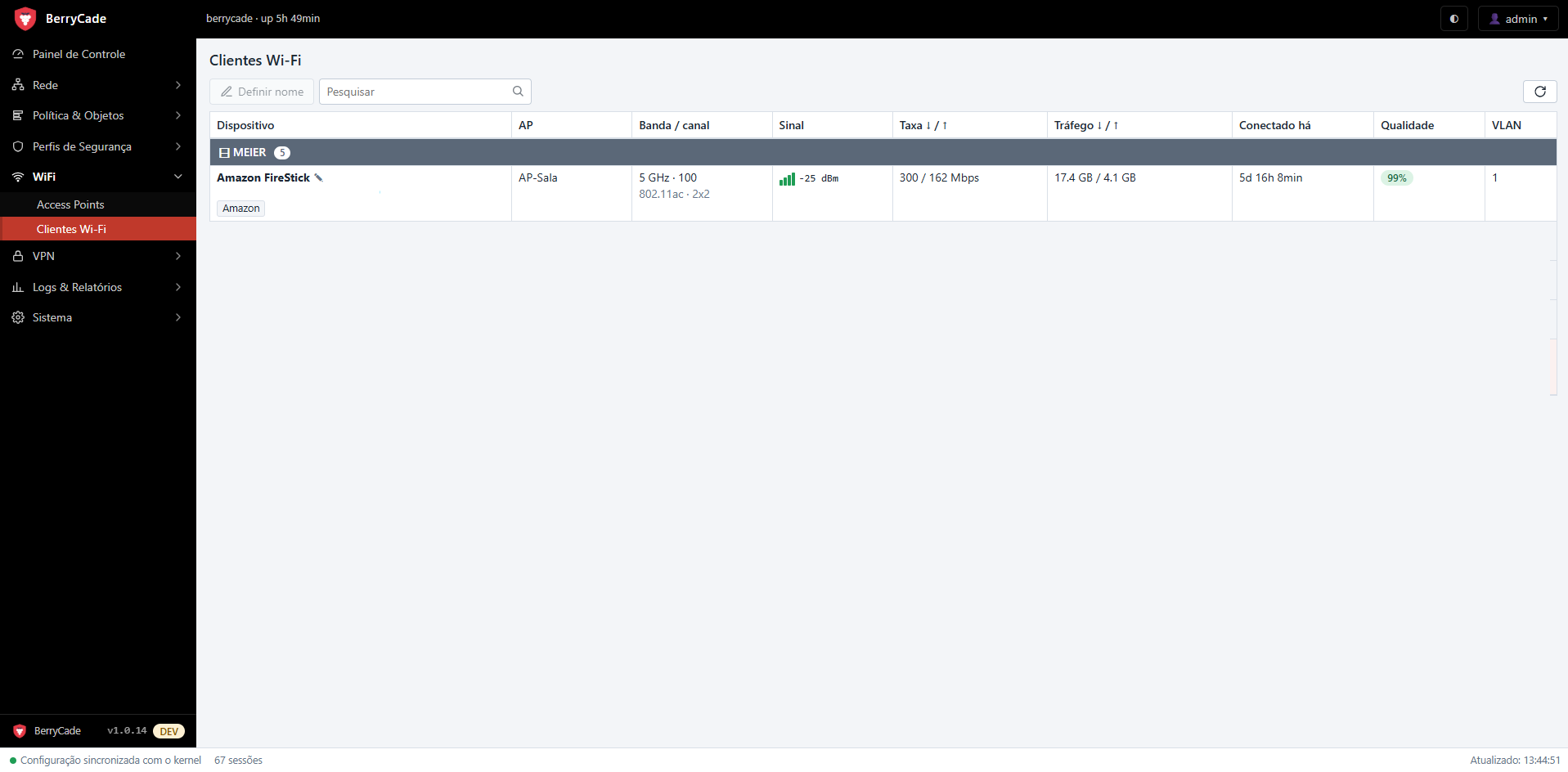
Figure 12 — Wi-Fi Clients screen (WiFi › Clientes Wi-Fi)
Shows each connected device, grouped by network (SSID): AP, band and channel, signal, rate, traffic, connection time, quality and VLAN.
- The nome do dispositivo (device name) comes, in this order, from a custom name, the firewall's DHCP, the name learned by the AP, or the network's reverse DNS. Hover over the name to see its source.
- Below the name you see the fabricante (manufacturer, from the MAC) or “MAC privado” (private MAC) for phones that use a random address.
- Definir nome (Set name), or right-click, gives the device a custom name, which also appears in Clientes DHCP (DHCP Clients).